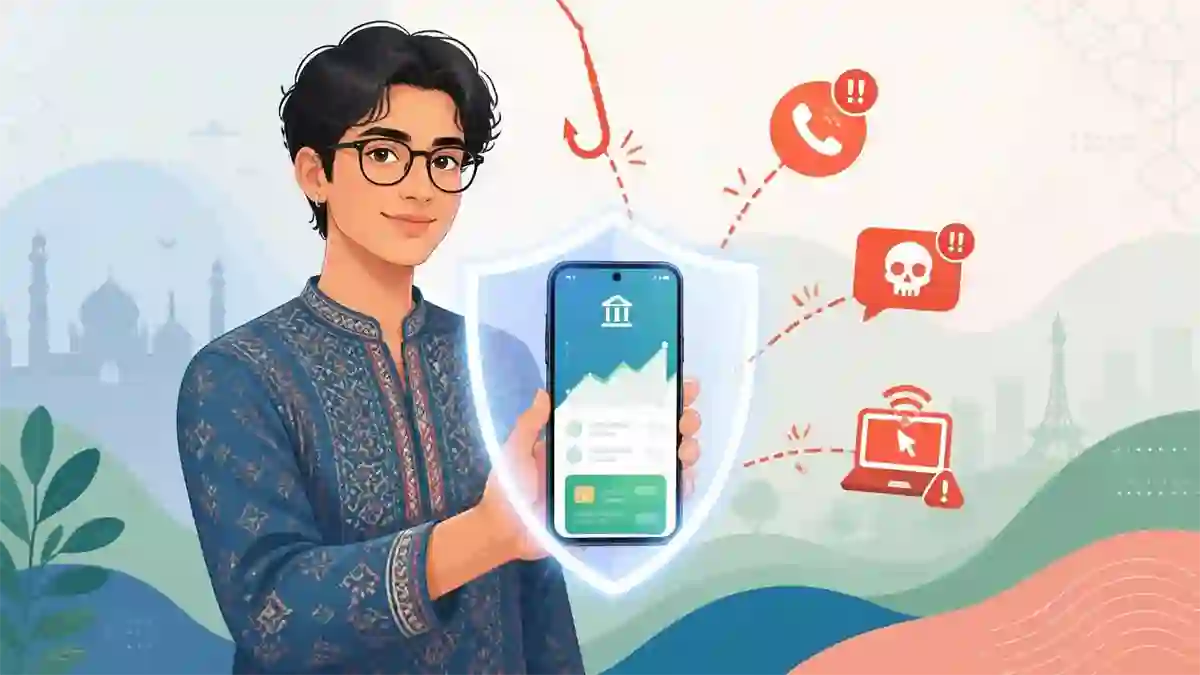
A colleague of mine got a call one afternoon from someone claiming to be from his bank’s fraud department. The caller knew his name, his bank’s name, and even the last four digits of his debit card. He sounded professional and urgent. He told my colleague that a suspicious transaction had been flagged on his account and that to stop it, he needed to verify his details immediately.
My colleague, genuinely panicked about losing money, read out his full card number, expiry date, and OTP. Within minutes, PKR 47,000 had been transferred out of his account.
He did everything the scammer wanted because he did not know the one rule that would have saved him: no legitimate bank will ever ask for your OTP, PIN, or full card number over a phone call. Ever.
This kind of fraud is not rare in Pakistan anymore. As mobile and online banking has grown rapidly across the country, so has the sophistication of people trying to exploit it. The good news is that protecting yourself is not complicated. You just need to know what to watch out for and how to set things up properly from the start.
Table of Contents
Why Mobile Banking Safety Matters More Than Ever in Pakistan
The numbers tell the story clearly. Pakistan’s branchless and mobile banking landscape has exploded over the past few years. JazzCash, EasyPaisa, and Nayapay have brought millions of previously unbanked people into digital finance. Almost every major bank now has a functional mobile app with full transaction capabilities. The State Bank of Pakistan’s Raast instant payment system has made real-time transfers easier and faster than ever.
All of this is genuinely positive. Mobile banking saves time, reduces the need for branch visits, and gives you access to your finances from anywhere. But it also means that your bank account is now accessible through a device you carry in your pocket, connected to the internet, and protected only by whatever security measures you have or have not set up.
The people who want to steal from you have adapted to this reality. So should you.
Setting Up Your Mobile Banking Securely From the Start
Most people install a banking app, set up a quick PIN, and consider themselves done. That is a reasonable start but it leaves some important gaps. Here is how to do it properly.
Use a strong and unique PIN or password
Your banking app PIN should not be your birth date, your CNIC’s last four digits, your child’s birth year, or any sequence like 1234 or 0000. These are the first combinations anyone trying to access your account will try.
Use a PIN that is genuinely random and not used for any other account or device. If your banking app allows a longer password instead of a four-digit PIN, use it.
Enable biometric login where available
Most Pakistani banking apps now support fingerprint or face recognition login. Enable this. It adds a layer of security and is also faster than typing a PIN every time. Even if someone physically has your phone, they cannot log in without your biometric.
Set up transaction alerts immediately
Go into your banking app settings or call your bank and make sure SMS alerts are activated for every transaction on your account. Every debit, every transfer, every login from a new device should trigger an immediate SMS to your registered number. This is your early warning system. If something happens that you did not authorize, you will know within seconds.
Register only your own mobile number
Your registered mobile number is the backbone of your account’s security. OTPs, login verifications, and fraud alerts all go to that number. Make sure it is your own number, registered under your CNIC, and that only you have access to it.
Also read: Difference between Islamic Banking vs Conventional Banking
The Threats You Need to Know About
SIM Swap Fraud
This is one of the most damaging forms of mobile banking fraud in Pakistan right now. A criminal gathers enough of your personal information, often from data leaks, social media, or social engineering, and then visits a mobile network franchise claiming to be you and requesting a new SIM for your number.
If they succeed, your original SIM stops working and all your OTPs and banking alerts start going to their new SIM. They then use those OTPs to access your bank account and transfer funds before you even realize what has happened.
To protect yourself, set up a SIM lock or biometric SIM replacement requirement with your mobile network. Mobilink, Jazz, Telenor, and Zong all allow you to place restrictions on SIM replacements at their franchise level. Do this before it becomes a problem.
Phishing Calls and SMS
This is what happened to my colleague. Fraudsters call or text pretending to be your bank, a government agency, or a financial service. They create urgency, fear, or excitement to get you to share sensitive information.
The rule is absolute: no legitimate bank, telecom, or government department in Pakistan will ever ask for your PIN, OTP, full card number, or internet banking password over a phone call or SMS. If someone asks for any of these, hang up immediately regardless of how convincing they sound.
If you are genuinely worried that there might be an issue with your account, hang up and call your bank directly using the number printed on the back of your debit card or on the bank’s official website. Never call back a number that was given to you by the suspicious caller.
Fake Banking Apps
This sounds obvious but it happens. Fraudulent apps that mimic real banking apps have appeared on app stores and are shared through WhatsApp and social media links. Installing one of these gives the fraudster access to whatever credentials you type in.
Only ever download your banking app from the official Google Play Store or Apple App Store, and verify that the developer name matches the bank. HBL’s app is published by HBL, Meezan Bank’s app is published by Meezan Bank. If the developer name looks unfamiliar or slightly off, do not install it.
Public WiFi Transactions
Doing a banking transaction while connected to a public WiFi network at a cafe, hotel, or shopping mall is a risk most people take without thinking twice. Public networks can be monitored or manipulated by anyone with the right tools on the same network.
If you need to do banking while out, switch to your mobile data connection first. It takes three seconds and removes a meaningful risk entirely.
Screen Sharing Scams
A newer and increasingly common fraud involves convincing victims to install screen sharing or remote access apps, usually under the guise of technical support or “helping” with a banking issue. Once the app is installed, the fraudster can see everything on your screen, including OTPs and banking sessions.
Never install any app at the request of someone who called you. No bank will ever ask you to install a remote access tool.
Safe Habits for Everyday Mobile Banking
Beyond the setup steps and threat awareness, a few everyday habits will significantly reduce your risk.
Log out after every session. Do not stay permanently logged into your banking app. Get into the habit of logging out when you are done. On a shared device this is essential, but it is a good practice even on your personal phone.
Keep your phone and apps updated. Security patches are released regularly for both operating systems and apps. Running outdated software means you are exposed to vulnerabilities that have already been fixed. Enable automatic updates or check regularly.
Do not share your phone unlocked with others. A trusted friend asking to make a quick call seems harmless. But handing over an unlocked phone with banking apps installed is a risk. Either lock the banking app separately with a PIN or biometric, or lock your phone before handing it over.
Review your transaction history regularly. Spend two minutes once a week scrolling through your recent transactions. If you see something you do not recognize, even a small amount, report it to your bank immediately. Fraudsters often test with small transactions before making larger ones.
Be careful what you share on social media. Your full name, CNIC number, phone number, date of birth, and mother’s name are the building blocks of identity fraud. Be thoughtful about what personal information is publicly visible on your social media profiles.
Learn more: How to Start Investing with a Small Amount of Money in Pakistan
What to Do If Something Goes Wrong
If you notice an unauthorized transaction or suspect your account has been compromised, the first 30 minutes matter most. Here is exactly what to do.
Call your bank’s helpline immediately using the number on your debit card or their official website and report the issue. Ask them to freeze your account or card while the matter is investigated. Most banks can do this instantly over the phone.
If you believe your debit or credit card has been compromised, ask for it to be blocked and a new one issued.
Change your internet banking password and app PIN from a secure device immediately.
If you believe your SIM has been swapped, contact your mobile network’s helpline immediately and visit a franchise in person with your original CNIC to reclaim your number.
File a complaint with your bank in writing, either at a branch or through their official complaint channel. The State Bank of Pakistan also has a consumer complaint portal called the SBP Complaint Management System, which you can use if your bank does not resolve the issue satisfactorily.
Keep records of everything. Transaction IDs, call logs, screenshots, and correspondence. These will be important if you need to escalate the complaint.
A Word on JazzCash and EasyPaisa Security
Branchless banking accounts through JazzCash and EasyPaisa deserve specific mention because millions of Pakistanis, particularly in smaller cities and rural areas, rely on these as their primary financial tools.
The same principles apply. Never share your MPIN with anyone. Be skeptical of calls claiming to be from Jazz or Telenor support asking you to verify your account. Do not click links in SMS messages claiming to be from these platforms. And register a separate SIM lock with your network if your JazzCash or EasyPaisa account is linked to that number.
These platforms are legitimate, regulated, and useful. The risks come not from the platforms themselves but from fraud attempts that exploit users who are not aware of how social engineering works.
Summing Up
Mobile and online banking in Pakistan is genuinely convenient and, when used correctly, very safe. The infrastructure is solid, the regulation is improving, and the tools for protecting yourself are available to anyone who takes a few minutes to use them.
The vulnerabilities are almost never technical. They are human. Scammers succeed because they exploit trust, urgency, and the assumption that someone calling from your bank must be legitimate.
You now know that is not true. No one from your bank will ever ask for your OTP, PIN, or full card details. That single piece of knowledge, properly remembered and acted on, will protect you from the majority of mobile banking fraud you are likely to encounter.
Set up your alerts, lock your SIM, use strong PINs, and stay skeptical of anyone who creates urgency around your money. Your finances are worth that small effort.