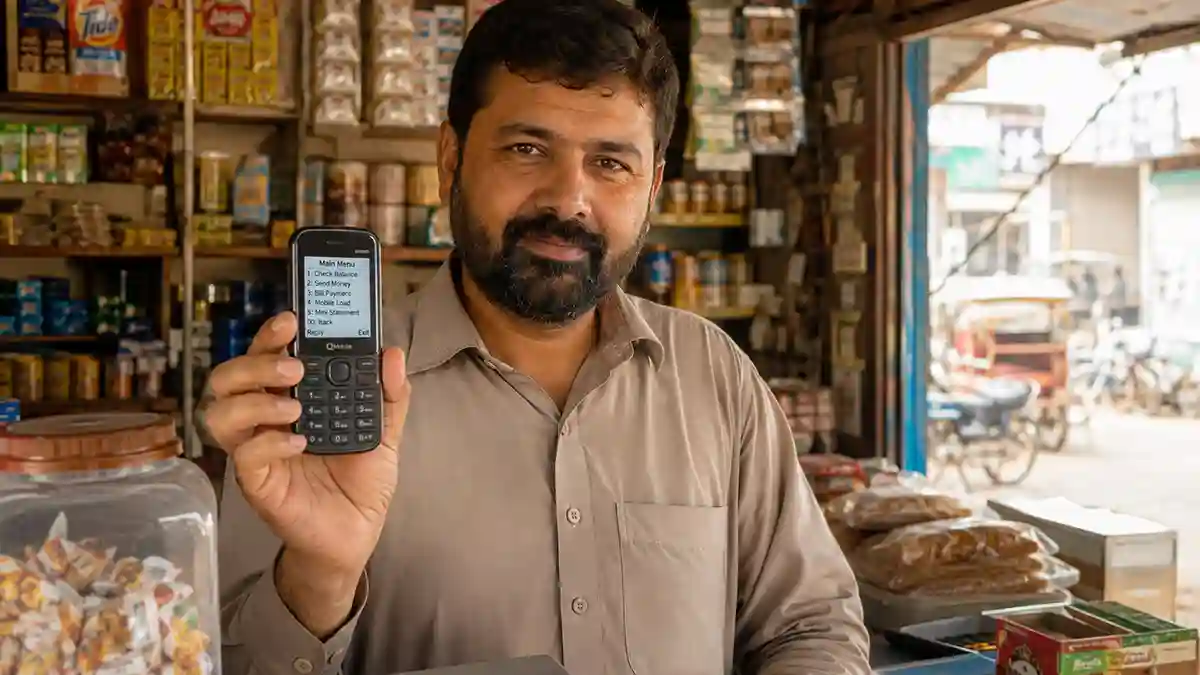
A shopkeeper in a small town outside Multan runs his entire daily cash flow through a Nokia keypad phone that has no internet connection and never will. He receives payments from customers, pays his own suppliers, and checks his balance dozens of times a week, all without ever opening an app, because everything he needs runs through a short code he dials and a menu that appears instantly on his screen. He has never held a smartphone in his life and has no plans to. So, here you will learn about SMS banking and USSD codes in Pakistan.
This is not a rare or shrinking group in Pakistan. A meaningful share of the population, particularly in smaller towns and rural areas, still relies on basic phones or has patchy, expensive internet access. For this group, USSD banking, the short codes starting with an asterisk and ending with a hash that you dial like a phone number, is not a fallback option. It is the primary and often the only way they interact with digital financial services.
This guide explains exactly how USSD and SMS banking work in Pakistan in 2026, which services are actually available without internet, and how to use them safely.
Table of Contents
What USSD Actually Is (In Plain Terms)
USSD stands for Unstructured Supplementary Service Data. Unlike an SMS, which sends a message that sits and waits to be delivered, USSD opens a live, real-time session between your phone and your mobile network’s server the moment you dial the code. A menu appears on your screen instantly, you respond by typing a number and pressing send, and the system replies within seconds. It works on the same signalling channel your phone uses for calls, which is why it functions on a basic Nokia-style keypad phone exactly as well as it does on the newest smartphone, and why it requires zero mobile data or Wi-Fi to work.
The practical difference from SMS banking is worth being clear about. SMS banking, in the Pakistani banking context, mostly refers to the automatic transaction alerts your bank sends you after every debit or credit (a service SBP requires banks to provide free of charge, as covered in the earlier article on bank charges in this series). USSD banking, by contrast, is interactive: you are actively dialing in, choosing menu options, and initiating transactions in real time.
The Two Systems That Actually Matter for Most Pakistanis: JazzCash and Easypaisa
If you are looking for USSD banking in Pakistan without a smartphone or internet, the two systems that genuinely serve the largest number of people, by a wide margin, are the mobile wallet USSD menus of JazzCash and Easypaisa, not a traditional bank’s own USSD channel. This is worth understanding clearly, because most people searching for “bank USSD codes in Pakistan” actually end up needing one of these two.
Easypaisa’s USSD access is genuinely large scale. Easypaisa is a State Bank of Pakistan-licensed digital bank, and its USSD channel works on any handset, from a basic feature phone to a smartphone, because the menu runs over signalling rather than data. According to industry reporting in 2026, Easypaisa processed more than 4.5 billion transactions in 2025 worth over PKR 15 trillion, roughly 13 percent of Pakistan’s GDP, reaching approximately one in every five Pakistanis. A meaningful share of that volume runs through the USSD channel specifically, because it does not require an app, storage space, or a data connection.
How to use Easypaisa via USSD:
| Network | Code |
|---|---|
| Telenor SIM | *786# |
| Jazz, Zong, Ufone, and other non-Telenor SIMs | *2262# |
After dialing, you follow the on-screen prompts: entering your CNIC number and issuance date the first time to open an account, then setting a five-digit PIN. Once registered, the same code takes you to a menu offering balance inquiry, sending money, bill payment, mobile top-up, and cash withdrawal, all confirmed with your PIN at each transaction.
JazzCash works the same way for its own users, with *786# serving as the main entry point on a Jazz SIM. The system is entirely signalling-based and works without any internet connection, which is precisely why it was built this way in the first place: to reach the millions of Pakistanis who have a basic phone and a Jazz or Telenor SIM but no smartphone and no reliable data.
A worked example: a domestic worker in a small town receives PKR 5,000 from her employer via JazzCash transfer. She has a basic Nokia phone with no internet. She dials *786#, selects the balance inquiry option, enters her PIN, and sees the deposit confirmed within seconds. She then dials the same code again, selects “send money,” and transfers PKR 2,000 to her son’s number to help cover his school fees, all without ever touching a smartphone or a rupee of mobile data.
Traditional Bank USSD Services
Direct USSD banking tied to a conventional bank account (rather than a mobile wallet like JazzCash or Easypaisa) exists in Pakistan but is considerably less standardized and less widely available across banks compared to the mobile wallet ecosystem described above.
Askari Bank is a confirmed, working example. Askari Bank’s USSD Mobile Banking service allows customers with Ufone mobile connections to access their bank account by dialing *808# directly from their phone, without needing internet access or a specific device.
For most other major commercial banks, including HBL, UBL, MCB, and Meezan Bank, the primary non-smartphone-friendly channels in 2026 are their call center helplines and, where available, WhatsApp Banking rather than a dedicated USSD menu tied directly to your bank account. Meezan Bank, for instance, has launched WhatsApp Banking that lets customers get account information by simply messaging the bank’s official WhatsApp number and selecting from a menu, which does require some form of data connection (even a very small amount) but works on any smartphone without needing the full banking app installed. HBL offers a similar WhatsApp Banking service through its own dedicated number.
Practical implication: if you hold an account with a bank that does not offer a direct USSD channel, and you have a basic phone with no internet, your most reliable free path to checking your balance or recent transactions without visiting a branch is typically your bank’s SMS transaction alerts (covered below) combined with a phone call to the bank’s helpline, rather than a USSD banking menu, since one may simply not exist for your specific bank.
Always confirm directly with your own bank. Because USSD availability depends on both your bank and, in some cases, your specific mobile network, the only reliable way to know whether your bank offers a USSD banking code is to call your bank’s helpline number (printed on the back of your debit card) and ask directly, rather than relying on a code you found online that may be outdated, network-specific, or simply incorrect for your bank.
SMS Banking: The Alerts Every Account Holder Should Have Active
Separate from interactive USSD menus, SMS banking in the more common Pakistani sense refers to the automatic transaction alert messages your bank sends after every deposit, withdrawal, or transfer on your account.
As covered in the earlier article on avoiding bank charges in this series, under SBP regulations banks are required to send an immediate SMS alert, email notification, or in-app pop-up after any financial transaction, free of charge, with the transaction amount and any service fees clearly separated in the message. This is not an optional add-on service; it is a mandatory consumer protection requirement.
Why this matters even more for non-smartphone users: for someone without a banking app, these SMS alerts are effectively their only real-time window into their account activity. Making sure your registered mobile number with your bank is current, and that you have not accidentally opted out of transaction alerts, is one of the simplest and most important things a basic-phone banking customer can do.
A Quick Comparison: USSD vs SMS Alerts vs WhatsApp Banking
| Feature | USSD (e.g., *786#) | SMS Transaction Alerts | WhatsApp Banking |
|---|---|---|---|
| Requires internet | No | No | Yes (minimal data) |
| Works on basic phones | Yes | Yes | No (needs smartphone/WhatsApp) |
| Interactive (can send money) | Yes | No (one-way notification only) | Yes, menu-based |
| Cost | Free from bank; network airtime may apply | Free (SBP mandated) | Free from bank; needs data plan |
| Best suited for | JazzCash/Easypaisa users, Askari Bank Ufone users | Every account holder as a baseline | Smartphone users wanting quick answers without the full app |
Safety: The Single Most Important Rule for USSD and SMS Banking
USSD and mobile wallet banking are genuinely secure when used correctly, but they are also a frequent target for social engineering fraud precisely because the audience relying on them most heavily, people with less exposure to digital banking generally, can be more vulnerable to manipulation.
No legitimate bank, JazzCash, or Easypaisa representative will ever ask you for your PIN over a phone call or SMS. Fraudsters impersonating these services and asking you to “verify” your PIN, share an OTP, or dial a code they read out to you are attempting to steal your funds, not help you. If you receive such a call, hang up immediately and call your bank or wallet provider’s official helpline number directly (never a number given to you by the caller).
Never share your five-digit PIN with anyone, including family members, unless you are deliberately authorizing them to transact on your behalf and understand the risk of doing so.
Verify recipient details carefully before confirming any transfer. Because USSD transactions happen quickly through a simple numeric menu, a single mistyped digit in a recipient’s number can send money to the wrong person, and reversing a mobile wallet transfer after the fact is often difficult or impossible.
Common Mistakes People Make With USSD and SMS Banking
Assuming every bank has a USSD code just because JazzCash and Easypaisa do. As explained above, direct bank-to-USSD banking is genuinely inconsistent across Pakistan’s commercial banks. Always confirm with your specific bank rather than assuming a code works simply because you saw it mentioned somewhere online.
Using the wrong code for their network. Dialing *786# on a non-Telenor SIM to reach Easypaisa, for instance, will not work the way it does for Telenor users; non-Telenor users need *2262# instead. Mixing these up is one of the most common sources of frustration for first-time USSD users.
Ignoring SMS transaction alerts because “nothing important happens on this account.” For a basic-phone user, these alerts are the primary fraud-detection tool available. Reviewing them, even briefly, catches an unauthorized transaction while there is still time to act.
Sharing a PIN over the phone because a caller sounded convincing and official. This remains, by a wide margin, the most common cause of financial loss among USSD and mobile wallet users in Pakistan, and it is entirely preventable by remembering one rule: no legitimate institution will ever ask for it.
In Summary
USSD and SMS banking are not a lesser or outdated version of “real” digital banking in Pakistan. For millions of people without a smartphone or reliable internet, they are the entire digital banking experience, and they work genuinely well when the right code is used on the right network and basic safety habits are followed.
For most Pakistanis in this situation, JazzCash’s and Easypaisa’s *786# (and Easypaisa’s *2262# for non-Telenor users) cover the overwhelming majority of practical needs: checking a balance, sending money, paying a bill, or topping up a phone, entirely without an app or internet connection. For those with a traditional bank account specifically, confirming directly with your bank’s helpline whether a USSD option exists, and relying on mandatory SMS transaction alerts as a baseline safety net either way, covers the rest.